2014年3月11日火曜日

ORA-01157:cannot identify/local data file

Error info:
ORA-01157: cannot identify/lock data file 5
ORA-01110: data file 5 ‘/u01/app/oracle/oradata/SID/users02.dbf’

Solution1:
> sqlplus / as sysdba
SQL> startup mount;
SQL> alter database datafile  ‘/u01/app/oracle/oradata/SID/users02.dbf‘ offline drop;
SQL> alter database open;
Database altered.
SQL> shutdown immediate;
Database closed.
Database dismounted.
ORACLE instance shut down.
SQL> startup

Solution2:
SQL>startup mount;
SQL>recover datafile filename;
SQL>alter database open;

Doc:
http://oracle.na7.info/11_2_datafile.html

2014年3月4日火曜日

[ADF Mobile]About deployment error

ADF Mobile deployment error below:
Can not run program "... platform-tools\aapt"
CreateProcess error=2, The system cannot find the file specified.

Workaround:
Simply copy those files and the lib sub directory to the platform-tools directory.

This is a known issue, and error cause is JDeveloper can not find these libraries(If you download the complete Android SDK as of 14th May 2013 and later, Google has changed the structure of the SDK such that some critical files) .....

2014年2月25日火曜日

Oracle API Gateway(OAG) Policy Center

A policy is a network of message filters in which each filter is a modular unit that processes a message.
In the Policy Studio, the policy is displayed as a path through a set of filters. Each filter can have only one success path and one failure path. You can use these success and failure paths to create sophisticated rules. 

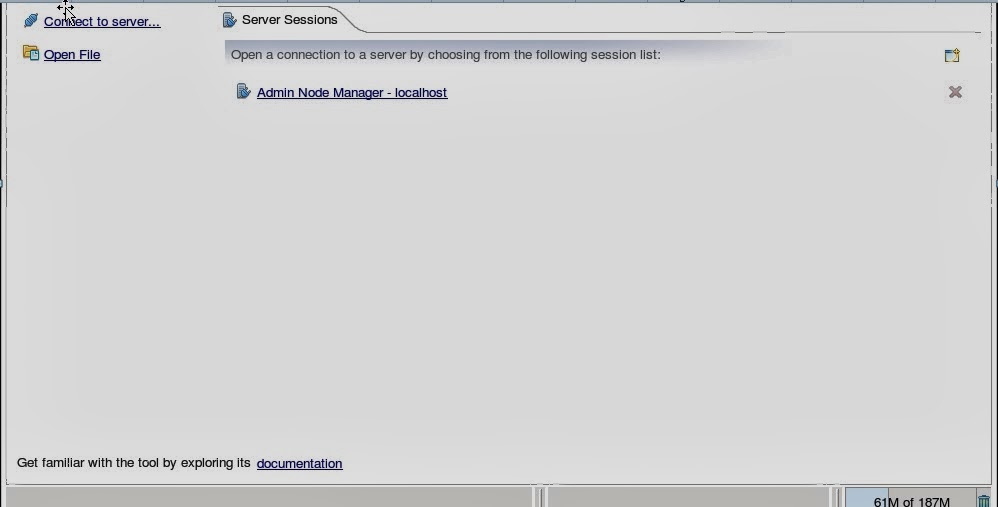
The following example screen shot shows an example policy with success paths and a single failure path:

1.Starting the Policy Studio
If you did not select to launch the Policy Studio automatically after installation,You can open a command prompt in the following directory:
-------------------------------------------
Windows      INSTALL_DIR\oagpolicystudio
Linux/UNIX   INSTALL_DIR/oagpolicystudio
-------------------------------------------
Start policystudio.

2.Start Policy Studio and connect to Policy Center.


3. You can deploy OAG sample policy. xml file like following:
---------------------------------------------------
<entityStoreData xmlns="http://www.vordel.com/2005/06/24/entityStore">
<metaInfo flags="138">
<exportRoots>
<key type='FilterCircuit'>
<id field='name' value='oauth_accesstoken_validation'/>
</key>
<key type='ESConfiguration'>
<id field='name' value='Entity Store Configuration'/>
</key>
</exportRoots>
<typeVersions>
<type name="AddHTTPHeaderFilter" version="5"/>
<type name="AttributeExtractHTTPHeaderFilter" version="0"/>
<type name="ChangeMessageFilter" version="0"/>
<type name="ConnectToURLFilter" version="2"/>
<type name="ConnectionFilter" version="13"/>
........
<type name="Reflector" version="0"/>
<type name="RootChild" version="0"/>
<type name="SaveToFileFilter" version="2"/>
<type name="SetHTTPStatusCode" version="0"/>
<type name="SetHTTPVerbFilter" version="0"/>
<type name="StringReplaceFilter" version="2"/>
</typeVersions>
<realizedTypes><![CDATA[
<entityStoreData>
<entityType xmlns="http://www.vordel.com/2005/06/24/entityStore" abstract="true" extends="Entity" name="Filter">
        <constant name="_version" type="integer" value="5"/>
        <field cardinality="?" name="successNode" type="@Filter"/>
        <field cardinality="?" name="failureNode" type="@Filter"/>
        <field isKey="true" name="name" type="string"/>
        <field cardinality="1" default="2" name="logMask" type="integer"/>
        <field cardinality="1" default="Filter aborted due to exception" name="logFatal" type="string"/>
        <field cardinality="1" default="Filter failed" name="logFailure" type="string"/>
        <field cardinality="1" default="Filter passed" name="logSuccess" type="string"/>
        ..........
    </entityType>
............
</entityStoreData>
------------------------------------------------------------
4. import......, Policy studio shows as like this:


Doc:

2014年1月23日木曜日

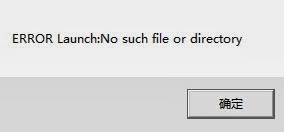
JDeveloper error ( ERROR Launch:No such file or directory)

While installing jdeveloper(jdev_suite_121200_win64.exe), I had problem & couldn't install it will give me error:
-----------------------------------------------------------------
ERROR Launch:No such file or directory
Jdev install error launch:No such file or directory
-----------------------------------------------------------------


Workaround:
Jdeveloper need to access the registry files, so you need to run the Setup(jdev_suite_121200_win64.exe) as an administrator in order to work.

Prerequisite Check Error on Redhat Linux 6.3 or 6.4(IAM 11.1.2.2)

Problem Description:
OS:Oracle Linux Server release 6.3 or Red Hat Enterprise Linux Server release 6.4 (Santiago)
Software: Oracle Identity and Access Management Installation 11.1.2.2

Error:
1.Checking recommended operating system packages
2.Checking kernel parameters


Rootcause:
Lack of redhat-lsb package(This is a known issue).                    
Workaround:
1.yum install redhat-lsb*x86_64" and re-install.
2.Use patch 16963926,and didn't need to install any additional package.Using this workaround, the pre-requisite check altogether is skipped.